
You Challenged us!
Please see below how mySmartApp and our exciting new electronic modules can solve them!
This is what you challenged us with. click on any of them and we will show you the solution!
Challenge 1 : “I want hot water available when I arrive on my boat!“
Challenge 2: “I have lots of spare parts on my boat but can never find them!“
Your challenge….
“Without spending masses on sensors or integration kit, how could SB bring all my systems together and provide basic boat safety information?”
My Boat
I have sailed and raced yachts for the past 60 years and have a 35 year old 35ft French sloop fitted with:-
– Raymarine Plotter, and Evo autopilot, old Garmin GPS
– Yanmar engine, rev counter, basic alarms.
– Tridata Echo Sounder, log etc.
– And still have all the original electrics!
The Smart Boat Solution
The good news is that you don’t need to replace perfectly serviceable equipment or cover the boat in new sensors.
For a boat like yours, we would use a SmartBox Core as the central hub, bringing together the information already available from your Raymarine, Garmin and Tridata equipment through SeaTalk, NMEA 0183 and NMEA 2000.
Your Yanmar is likely to be the one area where an older installation may not already provide digital data. If the engine has an NMEA 2000 interface, SmartBoat can use that directly. If not, a Smart Sensor Module 100 can digitise useful existing engine signals such as RPM, engine-running status, alarms and other available sensor information — without replacing your existing gauges or warning system.
The result is one place to see the information that matters, while keeping the equipment you already know and trust.
That can give you useful safety and monitoring information such as:
- Position, speed, depth and navigation data
- Engine status and alarms
- Battery and electrical-system monitoring
- Anchor and geofence alarms
- Bilge, temperature and other safety monitoring if required
- Equipment running hours and maintenance information
- Remote monitoring and alerts when the boat is unattended
The aim is not to make a 35-year-old yacht unnecessarily complicated. It is to connect what is already there, digitise only what needs digitising, and add extra sensors only where they provide a worthwhile benefit.
How easy is it to make this happen?
Integrating your existing electronics with a SmartBox Core is straightforward. Give it power, connect your existing SeaTalk, NMEA 0183 and NMEA 2000 equipment, and SmartBox Core becomes the bridge between those different generations of marine electronics.
Using the mySmartApp you can then simply design dashboards to show you the key information you consider important and define situations where you wish to be alerted of issues.
What do I need?
SmartBox Core — the main SmartBoat computer, communications and integration hub, including onboard Wi-Fi and AIS receiver
Possibly a Smart Sensor Module 100 — but only if your engine does not already provide the engine data through NMEA 2000
mySmartApp — free version, which provides the monitoring and basic safety capabilities
And whilst you are at it…!
The Smart Boat system will also integrate with your Tank Level Monitor and make sure you have enough water for your trip! If it is too low, you can automate the fill up process with the touch of a button using the Macro Manager!
Your challenge….
“I want hot water available when I arrive on my boat!”

And whilst you are at it…!
The Smart Boat system will also integrate with your Tank Level Monitor and make sure you have enough water for your trip! If it is too low, you can automate the fill up process with the touch of a button using the Macro Manager!
The Smart Boat Solution
Monitoring and controlling your boat shouldn’t just happen when on your boat, it is so important to be able to do this from wherever you are – onboard, at home or in the restaurant in the marina.
How easy is it to make this happen?
Install the Smart Terminal Controller on your boat to bridge the on/off circuit of your domestic water heating system
Use mySmartApp to build a control screen for your phone/tablet that has an on/off digital switch that integrates with the Smart Terminal Controller to control your water heater.
What do I need?
Smart Terminal Controller : To interface with your domestic water heating system which provides on/off control. You could also use a Smart Relay Controller or a Smart Temperature Monitor.
The SmartBox Nano supports
mySmartApp Core : To build a control screen that links to your boat to turn on/off your domestic water heating system
Your challenge….
“I have lots of spare parts on my boat but can never find them!“

And whilst you are at it…!
Using the Service and Maintenance Module you are able to fully document the service details of all the relevant equipment on your boat – and link the required parts stored in Inventory Manager to that Service/Maintenance activity!
The Smart Boat Solution
Smart Boat Inventory Manager generates storage locations which can be portrayed on a schematic of your boat. Spare parts can then be assigned to each named storage area thus enabling speedy location of that required part!
How easy is it to make this happen?
Install mySmartApp on your phone/tablet. Create an account with Smart Boat and then add all the details of your boat into Boat Setting together with your boat schematics. Using the Inventory Manager, you may then overlay storage locations on your boat schematic and add spare parts that are stored in each.
A full inventory list can be downloaded as a .CSV file via the User Portal which comes with the mySmartApp licence..
What do I need?
Digitised internal and external plans of your boat which are are readily available on the internet and can uploaded directly into mySmartApp.
A licence for mySmartApp.
Your challenge….
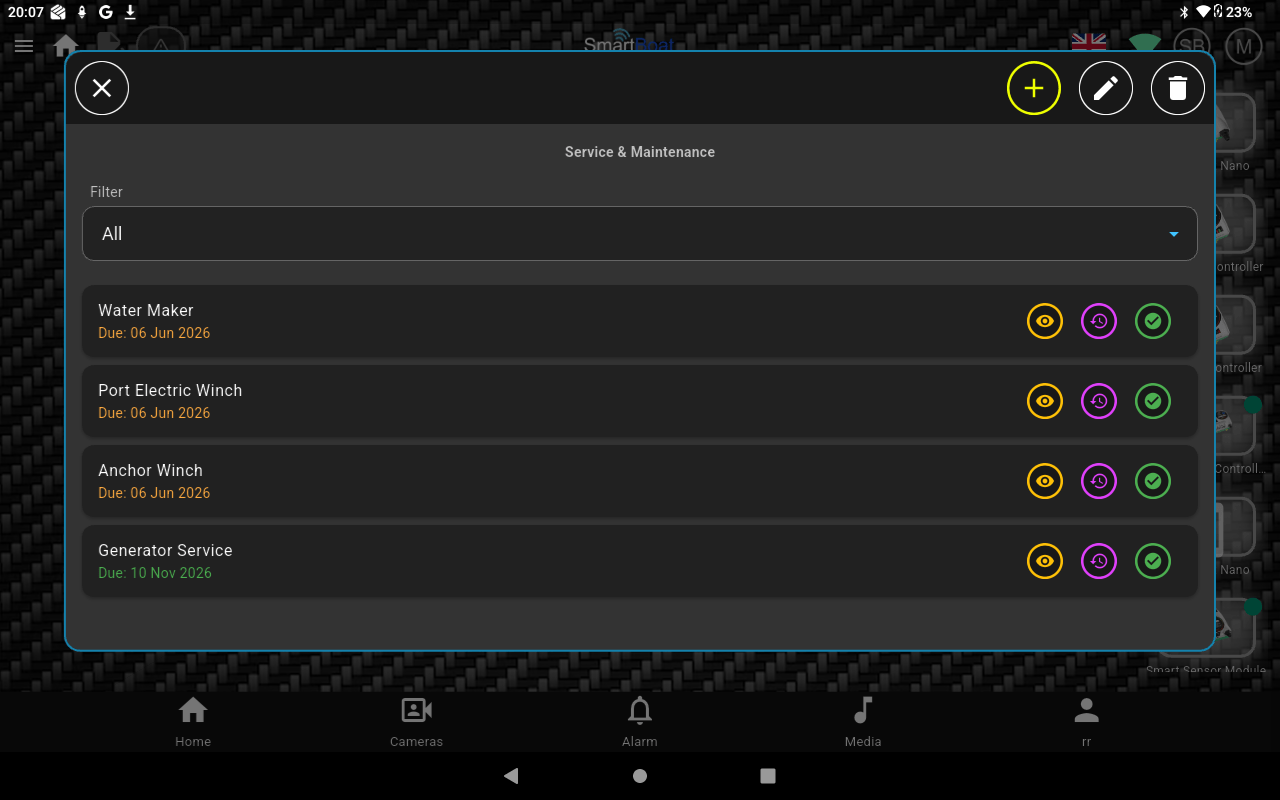
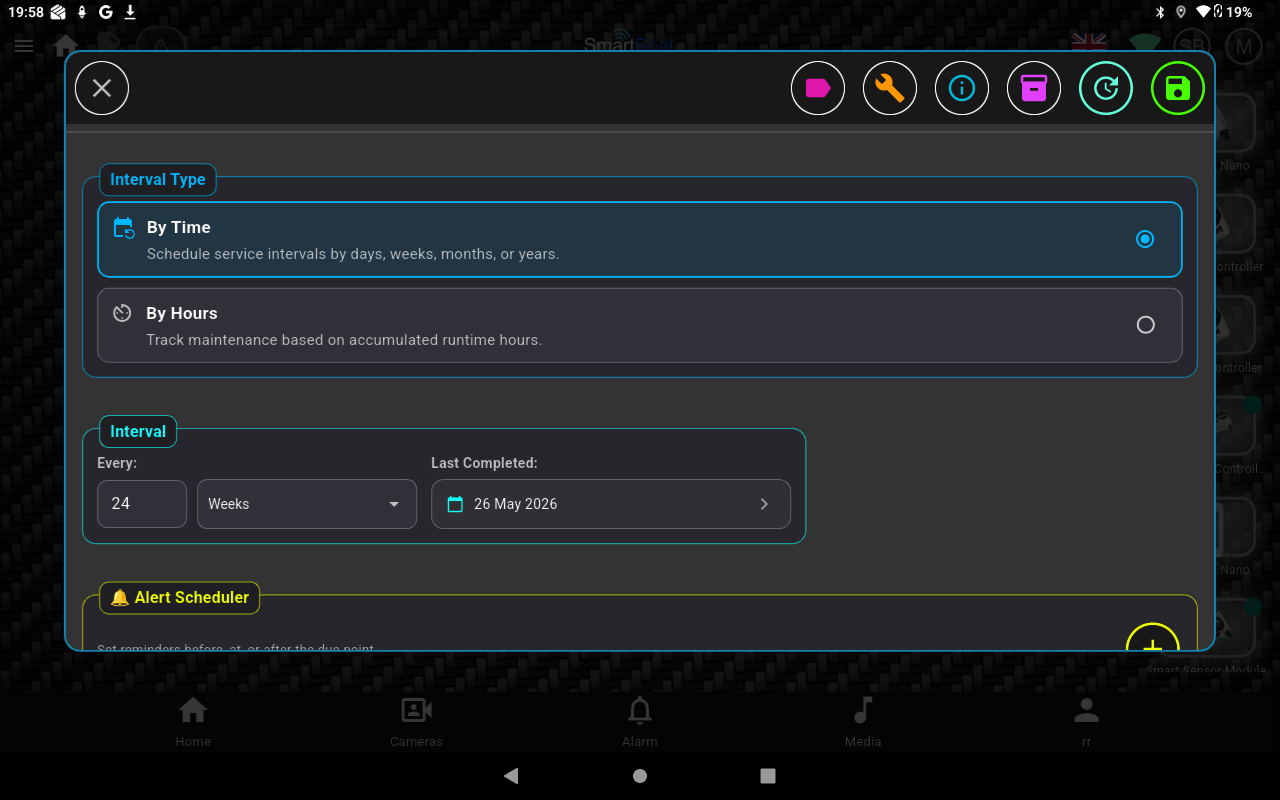
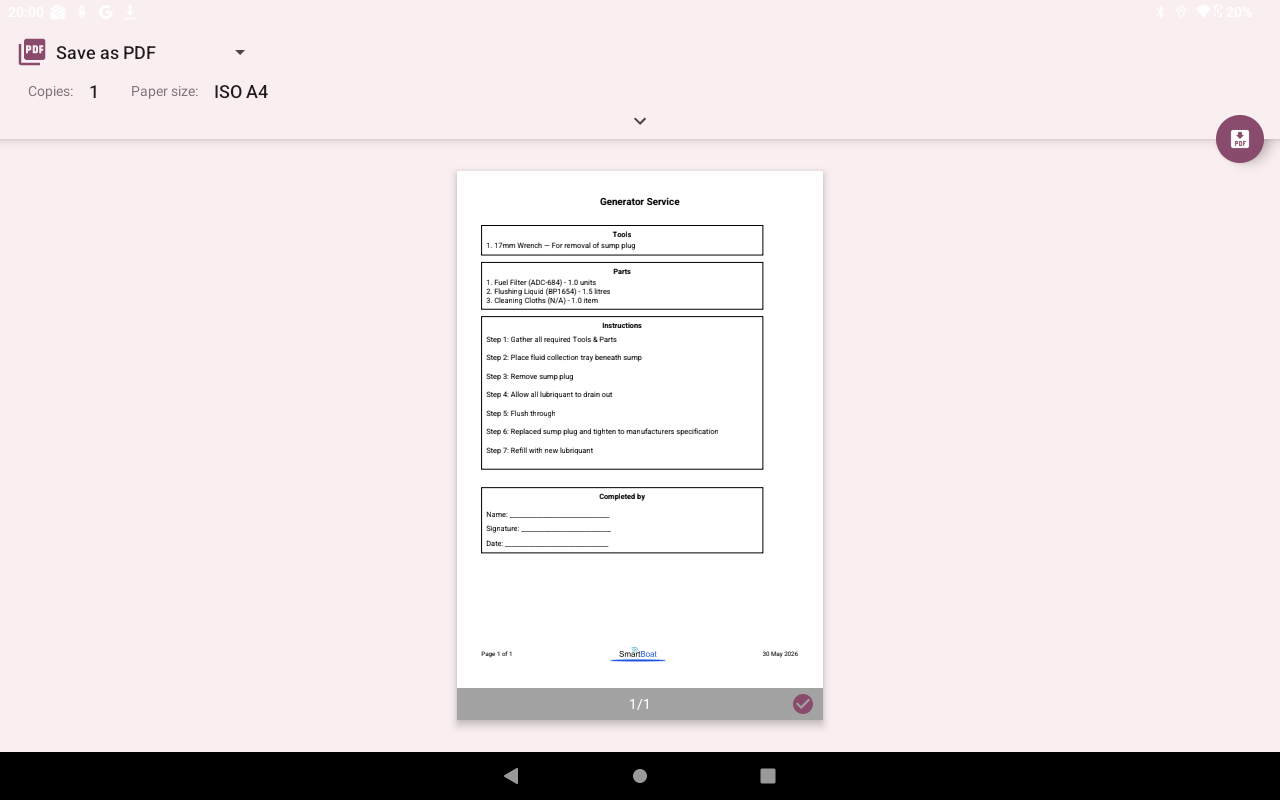
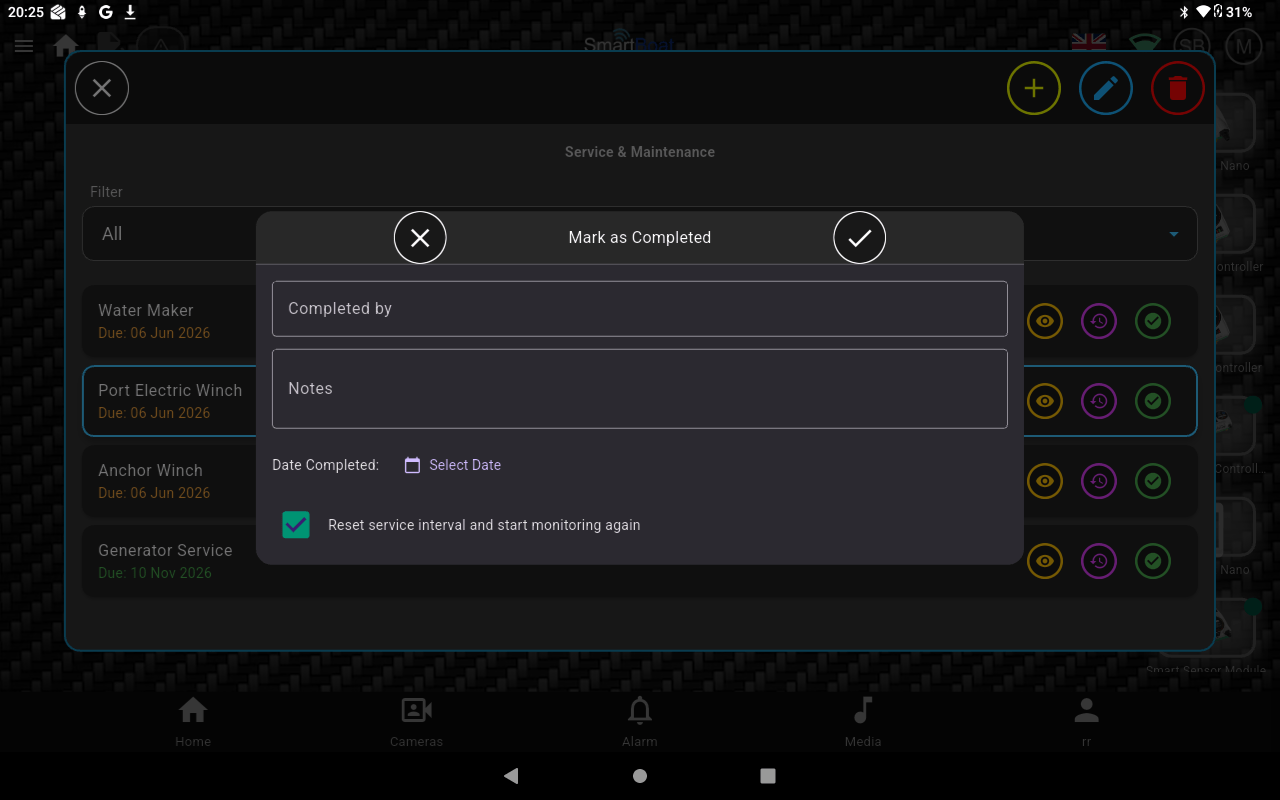
“It’s a long time since I serviced my generator and I can’t find the manual and am not sure where to get the spare parts I need!“


And whilst you are at it…!
Make sure you don’t miss any Alerts such as an impending Engine Service or a failed Bilge Pump by installing a SmartBox as this enables Remote Connectivity thus keeping you in touch where ever you are!
The Smart Boat Solution
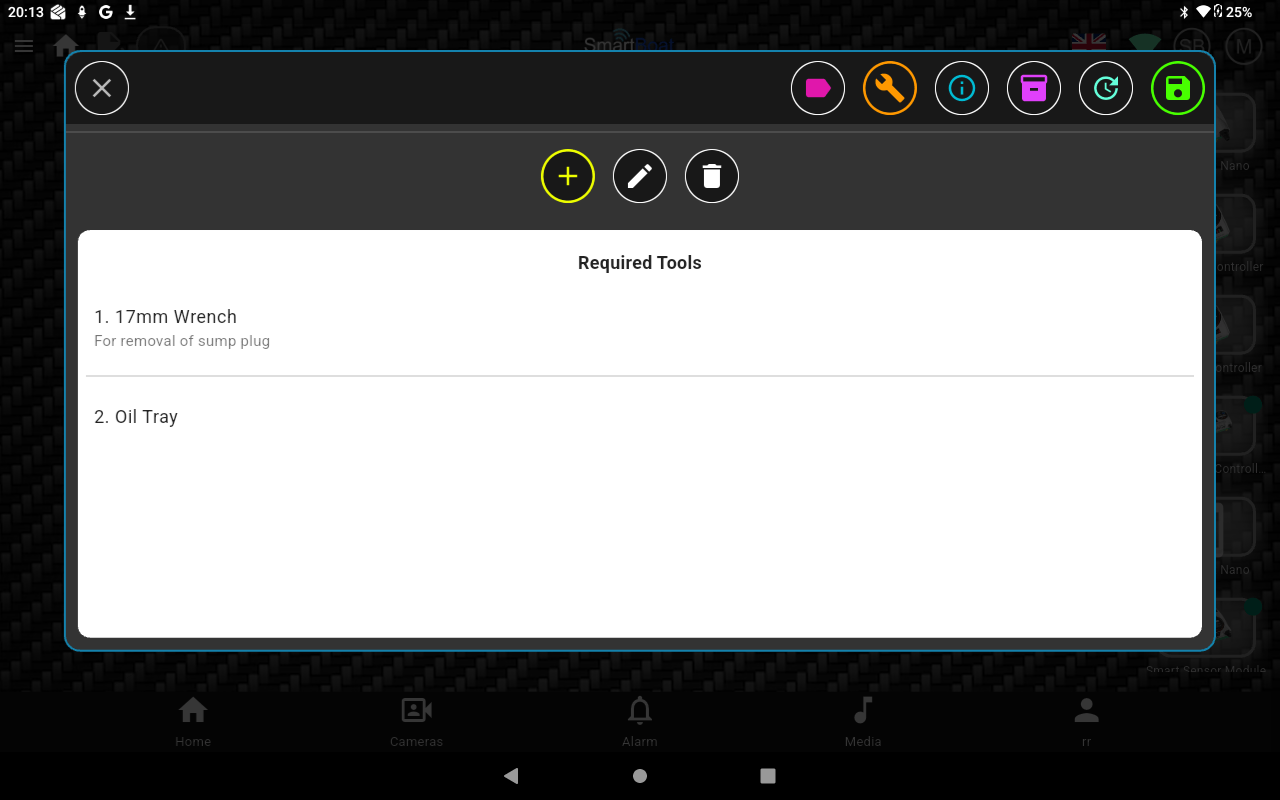
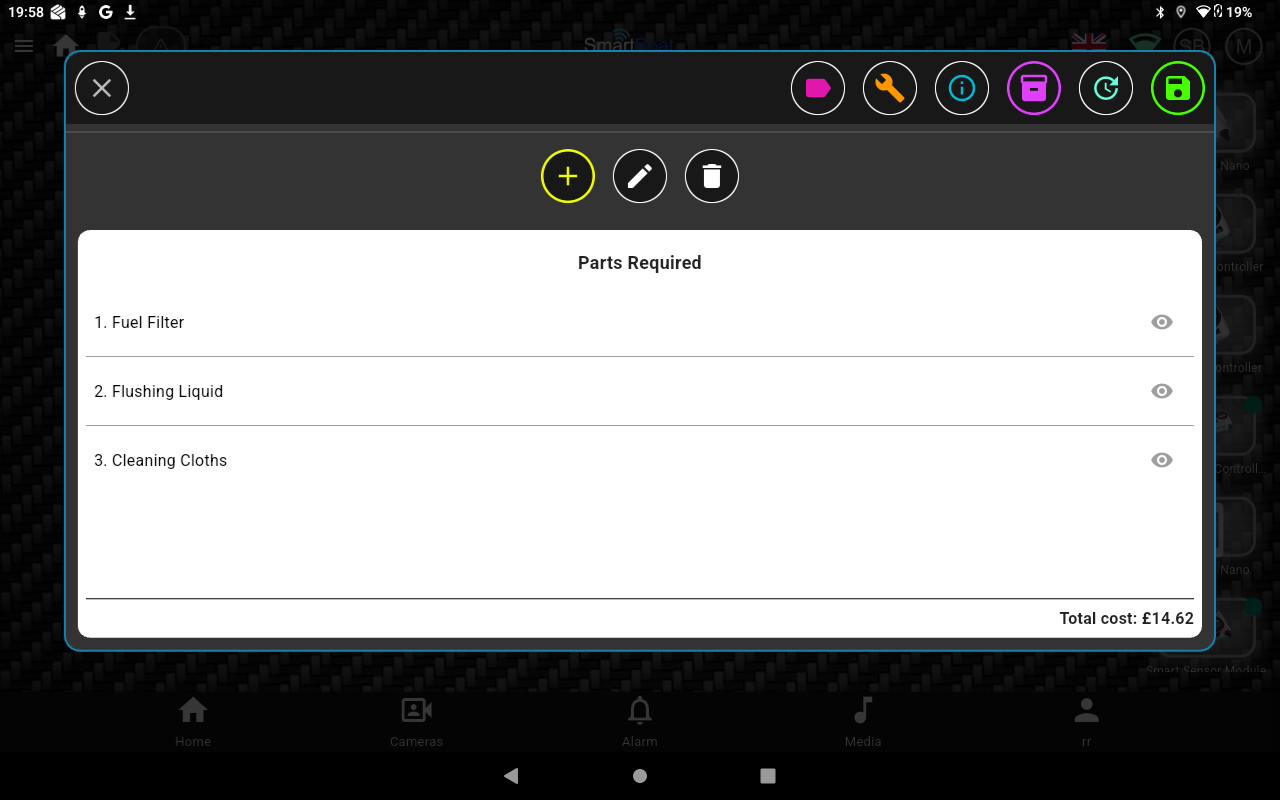
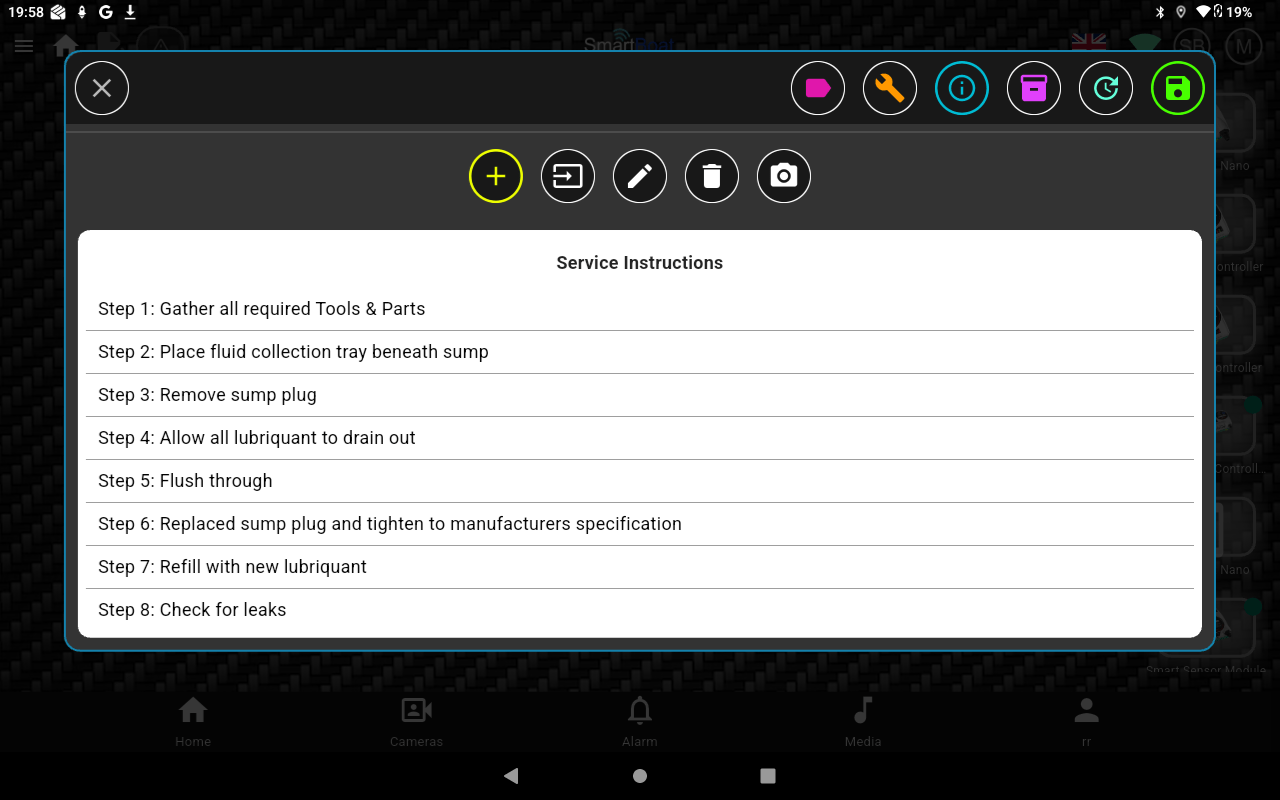
The mySmartApp Service & Maintenance Module lets you store everything relating to the service and maintenance of all relevant onboard equipment. It integrates seamlessly with the mySmartApp Inventory Manager.
How easy is it to make this happen?
Install mySmartApp on your phone/tablet. Create an account with Smart Boat and add your boat details in the Boat Settings Module.
For each service or maintenance activity, upload:
- Required parts and tools
- Step-by-step instructions
- Maintenance manuals
- Photographs
- Supplier links for any spares required
Using the Alerts Manager you will never miss an important service again!
A full inventory list can be downloaded as a .CSV file via the User Portal which comes with the mySmartApp licence..
What do I need?
A licence for mySmartApp.